A rep finds the exact right person on LinkedIn, right title, right company, clearly a fit. Then hits a wall: no email, no phone number, no way to actually reach them.
This is a different problem than not knowing who to target. You already know the name and the company. What you need is a lead finder, a tool built to take one specific person and return a working contact detail in seconds, not a database to browse. A dedicated B2B email finder solves the email half of this problem well; fewer tools solve the phone number half just as reliably.
This guide compares 10 lead finding tools on how they source contact data, how they verify it, and where each one is worth using instead of the others.
What Is a Lead Finder Tool?
A lead finder tool is software that locates a specific person’s business email or phone number once you already know their name and company, usually through a browser extension or single search rather than a bulk database export.
This is different from a full contact or company database, which is built for discovering who to target in the first place, not just reaching someone you already identified.
Lead Finder Tools vs. Contact Database Providers: What Is the Difference?
A lead finder answers one narrow question: given this specific name and company, what is their verified email or phone number. A contact database provider answers a broader question, which companies and contacts across an entire market fit your ICP (ideal customer profile) in the first place.
If your gap is discovering accounts and contacts at scale before you have any names to work with, a full database platform fits better than a single-contact finder. Our breakdowns of B2B contact database providers and lead database providers cover that category directly. This guide focuses specifically on the single-contact lookup, once you already know exactly who you are trying to reach.
With that distinction clear, here is how the 10 lead finder tools in this guide actually compare.
Lead Finder Tools: Quick Comparison
| Tool | Data Sourcing Model | Contact Types Found | Verification Method | Starting Price | Best For |
|---|---|---|---|---|---|
| Pintel.ai | Multi-source waterfall enrichment + buying signals | Email, phone, account context | Cross-verification across 30+ sources | Contact sales | Teams needing a verified contact plus signal context |
| Hunter.io | Domain-wide public pattern search | Email only | Built-in email verifier | From $34/mo | Quick domain-wide email lookups |
| Skrapp.io | LinkedIn / Sales Navigator export | Email only | Basic verification on export | From $49/mo | Bulk LinkedIn-based email lookups |
| Voila Norbert | Single-contact name plus company search | Email only | Built-in verifier | From $49/mo | One-off, high-priority lookups |
| Snov.io | Domain search plus LinkedIn extension | Email only | Built-in verifier | From $39/mo | Finder and outreach bundled together |
| FindThatLead | Domain search plus LinkedIn scraping | Email only | Basic verification | From $29/mo | Budget-conscious bulk searches |
| AeroLeads | LinkedIn extension scraping | Email and phone | Basic verification | From $49/mo | Email plus phone from LinkedIn |
| SignalHire | Real-time LinkedIn profile reveal | Personal and work email, phone | Real-time reveal, no batch verification | From $39/mo | Reaching a specific person directly |
| Adapt.io | Maintained database plus LinkedIn extension | Email, phone, firmographics | Database refresh plus extension reveal | From $49/mo | North America-focused database and extension |
| Overloop | Finder blended with third-party data | Email only | Basic verification | From $99/mo | Finder plus multichannel sequencing bundled |
This comparison is based on first-hand platform knowledge, publicly available product information, and commonly reported user experiences. Contact each vendor directly for the latest pricing and product details.
The pattern in the table is clear: most tools find an email address, fewer find a phone number, and only a handful verify what they return before you send it. The reviews below explain what each lead finder tool actually delivers.
What to Look for in a Lead Finder Tool
The most common mistake when evaluating lead finding tools is judging them by database size. A lead finder is not judged on how many records it holds. It is judged on whether it reliably solves one specific lookup, right now, for the exact person you need.
A useful way to check this is what we call the Single-Contact Test. A lead finder tool passes the Single-Contact Test when, given one specific person’s name and company, it returns a deliverable, verified contact detail in under a minute, without requiring a bulk list upload first.Several tools in this category fail that test quietly, by returning an unverified guess instead of a confirmed result.
Why Verification Method Matters More Than Database Size
A tool that guesses an email pattern from a domain (firstname.lastname@company.com) without verifying it will return plenty of results. Many of them will bounce. A smaller tool that verifies each result in real time, even if it returns fewer matches, produces a list that is actually usable.
Run these checks before committing to any lead finder tool:
- Contact types found: Does it return email only, or email plus a direct or mobile phone number?
- Verification method: Is each result verified before it is returned, or is it a best-guess pattern match?
- Data sourcing model: Does it scrape LinkedIn, guess domain patterns, or pull from a maintained, refreshed database?
- Workflow fit: Is it built for one-off lookups, bulk list uploads, or both?
- CRM sync: Does a found contact flow directly into your CRM, or does someone have to copy and paste it in manually?
- Regional accuracy: Is match quality consistent outside North America, or does it drop off in other regions?
According to Forrester’s research on B2B go-to-market technology, teams that evaluate sales tools against a specific workflow test outperform those that compare feature lists alone. Gartner’s research on sales strategy points to a similar pattern, tool evaluation without a defined use case in mind tends to reward the longest feature list rather than the tool that actually fits.
With those checks in mind, here is how each of the 10 lead finder tools in this guide actually performs.
10 Lead Finder Tools Reviewed in Detail
Each review below covers what the tool is built to find, where it holds up, and where it falls short against the Single-Contact Test.
1. Pintel.ai
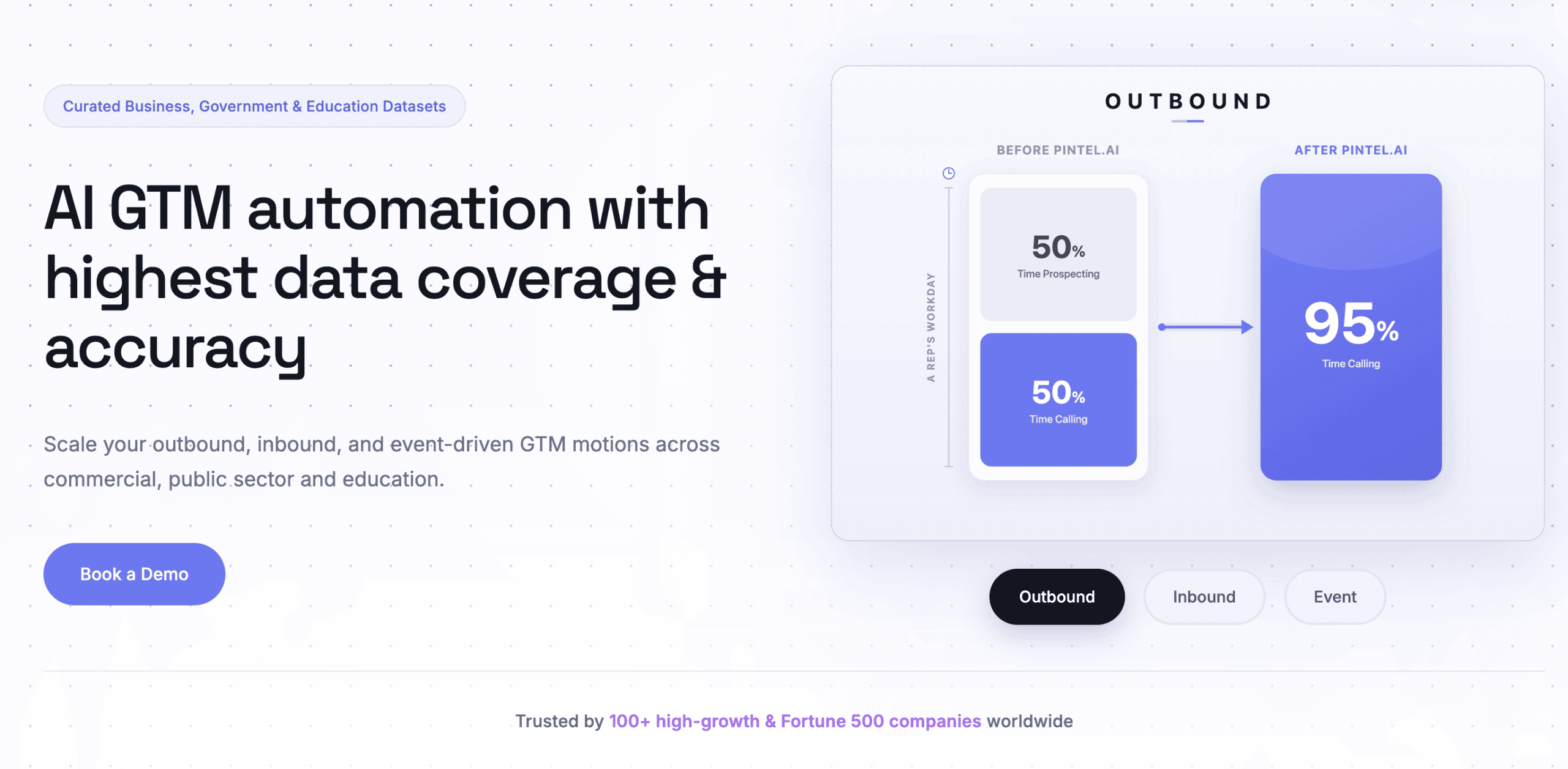
Pintel.ai is a B2B lead finder and sales intelligence platform that helps revenue teams discover target companies, identify the right decision makers, find verified contact information, and prioritize outreach using buying signals.
Strengths
- Finds companies and prospects based on your ideal customer profile (ICP) and targeting rules, then returns verified business email addresses, phone numbers, and company information from a single platform.
- Already have a company or person’s name? Pintel.ai can directly find and enrich their business email address, phone number, or both using multi source waterfall enrichment across 30+ data providers.
- Helps identify companies showing buying signals such as funding rounds, acquisitions, team expansion, hiring activity, leadership changes, and technology adoption.
- Syncs enriched contacts and companies directly with Salesforce, HubSpot, and other supported CRMs.
For example, if you’re selling a security or compliance solution, you can search LinkedIn profiles using keywords like GDPR, HIPAA, ISO 27001, SOC 2, or compliance to identify the people responsible for those initiatives, then enrich their verified contact information in one workflow.
Security and compliance: ISO 27001 certified, SOC 2 (AICPA), GDPR compliant, HIPAA compliant, CCPA compliant, and VAPT certified.
Limitations
- Newer platform with less brand recognition than single-purpose email finders that have been on the market for a decade or more
Pricing: Contact sales
Pintel.ai is best for teams that want a verified contact plus the account context to act on it, but is a heavier setup than a quick one-off email lookup.
2. Hunter.io
Hunter.io finds and verifies email addresses by domain, useful once you already know which company you are targeting, but it returns email addresses only, with no phone numbers or account-level context.
Strengths
- Domain search surfaces every public email pattern found for a company at once
- Built-in verifier flags catch-all and risky addresses before you send to them
- Chrome extension works directly on LinkedIn profiles and company websites
Limitations
- No phone numbers or firmographic data, email only
- Confidence scores vary widely on smaller or newer domains
Pricing: From $34/mo
Hunter.io is best for quick domain-wide email lookups, but falls short once you need phone numbers or account context alongside the email.
3. Skrapp.io
Skrapp.io pulls email addresses directly from LinkedIn and Sales Navigator profiles in bulk, but its data stops at the email address, with no signal or firmographic layer on top.
Strengths
- Bulk export directly from LinkedIn Sales Navigator search results
- CSV upload option for larger lookup batches
- Chrome extension surfaces a found email directly on a LinkedIn profile
Limitations
- No phone number or intent data
- Match rate drops outside English-speaking markets
Pricing: From $49/mo
Skrapp.io is best for bulk LinkedIn-based email lookups, but falls short as anything beyond a LinkedIn export tool.
4. Voila Norbert
Voila Norbert finds and verifies a single email address at a time with a simple name-plus-company search, but it has no bulk list-building workflow for larger campaigns.
Strengths
- Simple one-off lookup, useful for a single high-priority contact
- Enrichment API available for teams that want to build it into other tools
- Per-search credit pricing with no subscription lock-in required
Limitations
- No native CRM sync
- Bulk searches run slower than tools built around list upload
Pricing: From $49/mo
Voila Norbert is best for quick single-contact lookups, but falls short for teams running list-based outbound at volume.
5. Snov.io
Snov.io bundles an email finder with drip campaign sequencing, useful for teams that want lookup and outreach in one low-cost tool, but verification accuracy dips on smaller or international domains.
Strengths
- Combines finder, verifier, and sequencing in a single subscription
- Chrome extension works on LinkedIn and company websites
- Drip campaign builder included at a lower price point than most sales engagement platforms
Limitations
- Verification accuracy is inconsistent outside major English-speaking markets
- Contact-level firmographic detail is thin compared to dedicated database tools
Pricing: From $39/mo
Snov.io is best for budget-conscious teams that want finding and outreach bundled together, but falls short on data depth and international accuracy.
6. FindThatLead
FindThatLead offers email finding, LinkedIn prospecting, and basic scraping tools at a lower price point, but its interface and support are less polished than larger, more established finder tools.
Strengths
- Budget-friendly bulk search plans
- LinkedIn prospector tool for building lists directly from search results
- Domain search alongside single-contact lookup
Limitations
- Data can be stale on smaller companies
- Support response times lag behind larger competitors
Pricing: From $29/mo
FindThatLead is best for budget-conscious teams running occasional bulk searches, but falls short on polish and support responsiveness.
7. AeroLeads
AeroLeads pulls both email addresses and phone numbers from LinkedIn profiles through its Chrome extension, but phone number match rates are inconsistent outside North America.
Strengths
- Finds phone numbers alongside emails, not just email addresses
- Chrome extension works directly on LinkedIn search results
- Export to CSV or push directly into a CRM
Limitations
- Phone number accuracy drops significantly outside North America
- Bulk lookups run slower than dedicated email-only tools
Pricing: From $49/mo
AeroLeads is best for teams that want phone numbers alongside emails from LinkedIn, but falls short on international phone accuracy.
8. SignalHire
SignalHire reveals personal and work emails plus phone numbers directly from a LinkedIn profile, popular with recruiters, but its B2B firmographic filtering is limited since it was built recruiting-first.
Strengths
- Reveals a personal contact detail in addition to a work email, useful when work emails bounce
- Chrome extension works directly on LinkedIn and other professional networks
- Real-time lookup rather than a query against a static, pre-built database
Limitations
- Built for recruiting use cases first, so ICP and firmographic filtering is limited
- No buying signal or intent layer
Pricing: From $39/mo
SignalHire is best for reaching a specific person through a personal email or phone number, but falls short as an ICP-based prospecting tool.
9. Adapt.io
Adapt.io combines a searchable B2B contact database with a Chrome extension for LinkedIn lookups, but coverage outside North America and English-speaking markets is noticeably thinner.
Strengths
- Searchable database in addition to one-off lookups, useful for light list-building
- Chrome extension surfaces contact details directly on LinkedIn profiles
- CRM integrations for Salesforce and HubSpot
Limitations
- Coverage outside North America is noticeably thinner
- Match rates on smaller companies vary
Pricing: From $49/mo
Adapt.io is best for North America-focused teams that want a database and extension combined, but falls short on international coverage.
10. Overloop
Overloop, formerly Prospect.io, bundles an email finder with multichannel outreach sequencing, but its standalone contact data accuracy trails dedicated finder tools since it partly relies on other providers for lookups.
Strengths
- Finder and sequencing bundled into one workflow
- Multichannel sequences across email and LinkedIn
- CRM sync included on most plans
Limitations
- Contact data accuracy trails dedicated finder-only tools
- Higher price point than single-purpose finders
Pricing: From $99/mo
Overloop is best for teams that want finding and multichannel sequencing in one subscription, but falls short on standalone data accuracy.
That covers all 10 lead finder tools in this guide. The right one depends less on features and more on which specific lookup problem you are solving.
How to Choose the Right Lead Finder Tool
The right lead finder depends on what you actually need out of a single lookup, not which tool has the longest feature list.
If you only need an occasional single email address: A dedicated single-contact finder handles this fine. Choose based on your monthly search volume rather than extra features you will not use.
If you need phone numbers as well as email: Confirm accuracy for your specific target region before committing. Phone match rates vary far more by geography than email match rates do.
If you want the found contact to arrive with buying signal context and sync straight into your CRM: Pintel.ai’s waterfall enrichment and buying signal detection are built specifically for this scenario, so the contact is qualified and CRM-ready rather than a bare email address to enrich later.
If you are scaling past occasional lookups into a repeatable outbound motion: A connected workflow that combines finding, scoring, and CRM sync, like Pintel.ai, reduces the number of separate subscriptions your team has to maintain and keep in sync manually.
Before committing to any lead finder tool, run 15 to 20 real lookups from your actual target list and check the result by hand. A verified contact that bounces on send costs more time than the tool saved. Teams that also need broader record-level enrichment beyond a single contact can compare dedicated data enrichment tools separately.
Final Takeaway: Choosing a Lead Finder Tool That Passes the Single-Contact Test
The best lead finder is not the one with the biggest claimed database. It is the one that reliably turns one specific name and company into a verified, deliverable contact.
Most teams only find out a tool fails the Single-Contact Test after a batch of sends bounces. Checking verification method and contact types found before committing avoids that cost entirely.
If your team keeps needing signal context and CRM sync on top of the contact itself, a connected platform like Pintel.ai is worth a look before adding another single-purpose lookup tool to the stack.
FAQ: Lead Finder Tools
What is a lead finder tool?
A lead finder tool is software that locates a specific person’s business email or phone number once you already know their name and company, usually through a browser extension or single search.
What is the difference between a lead finder and a contact database?
A lead finder answers one specific lookup: this person, this company, what is their contact detail. A contact database helps you discover which companies and people to target in the first place.
What are the best lead finding tools for small teams?
Hunter.io and Voila Norbert work well for occasional single lookups. Teams that also want CRM sync and buying signal context typically need a broader platform like Pintel.ai instead.
Do lead finder tools verify the emails they find?
Some do and some do not. Hunter.io, Voila Norbert, and Snov.io include built-in verification. Others return a best-guess pattern match without confirming deliverability, which raises bounce risk.
Can lead finder tools find phone numbers, not just emails?
A few can. AeroLeads, SignalHire, and Adapt.io return phone numbers alongside email addresses. Most email-focused finders, including Hunter.io and Skrapp.io, return email only.
Are lead finder tools accurate outside the United States?
Accuracy varies significantly by tool and region. Several finder tools built around North American data sources see match rates drop noticeably in Europe, APAC, and other international markets.
What is the difference between a prospect finder and a lead search tool?
These terms describe the same category as a lead finder: software that returns a specific person’s contact details on demand. The naming varies by vendor, the core function does not.
Do I need a lead finder tool if I already have a contact database?
Sometimes. A database covers bulk discovery, but a lead finder is still useful for one-off lookups on specific people your database has not enriched yet.