If you’re running outbound or managing GTM data, enrichment plays a critical role in how effectively your workflows perform. Clay is widely used for building flexible enrichment setups, but it may not always fit as teams scale and processes become more structured.
You might be dealing with increasing complexity, inconsistent data outputs, or a tool that feels expensive.
Whatever the reason, evaluating Clay alternatives becomes a practical next step.
Choosing the right solution isn’t just about adding more data. It’s about finding a platform that delivers reliable outputs, fits your CRM, and supports your workflows without added overhead. The good news is there are strong alternatives, each taking a different approach to accuracy, automation, and usability.

How We Evaluated Clay Alternatives
Each solution in this guide was evaluated using the same operational criteria, grounded in real GTM workflows. When comparing tools like Clay, we focused on factors that matter once enrichment becomes a critical dependency:
- Accuracy of persona, function, and seniority mapping
- Stability of enrichment outputs across multiple cycles
- Alignment with existing CRM schemas
- Reduction in manual SDR research
- Reliability when used for routing, scoring, and segmentation
- Ease of use for business users without technical training
- Built-in quality assurance and confidence scoring
If a tool produces different outputs for the same input over time, it introduces downstream risk—regardless of how powerful it appears on paper. Similarly, if a tool requires dedicated specialists and extensive training just to operate, it creates organizational dependencies that limit scalability.
Quick Comparison Table for Top Clay Alternatives
This table highlights how leading Clay alternatives differ in data accuracy, workflow complexity, and business user accessibility—not just feature breadth. If you’re looking for tools like Clay that offer workflow-level enrichment, this comparison shows how they stack up operationally:
| Tool | Core Focus | User Accessibility | Data Quality Controls | Workflow Automation | Best Fit |
|---|---|---|---|---|---|
| Pintel | Accurate enrichment and prioritization of account and contact data | Natural language interface with minimal setup | Built-in QA with confidence scoring | Auto-generated workflows and prompting | Teams that need accurate, usable output without managing workflows |
| Apollo | Speed and data volume | Simple interface for list building and outreach | Limited validation, accuracy depends on usage | Supports list building and sequences, not full workflows | Small teams running outbound with basic enrichment needs |
| Clearbit | Firmographic enrichment | Works inside HubSpot, limited outside that setup | Conservative data, focused on company-level fields | No workflow-level automation | HubSpot users focused on company-level enrichment |
| ZoomInfo | Contact database with intent data | Sales-oriented interface with search and export workflows | Data quality varies by region and segment | Limited automation beyond list building and exports | Teams working with large datasets, mainly in North America |
| Cognism | Contact data for Europe | Sales-focused workflows | More consistent in Europe, limited outside core regions | Focused on contact enrichment rather than workflows | Teams targeting European markets |
Note: This comparison is based on publicly available information, hands-on experience, and user reviews. It’s meant as a high-level operational overview. For the most accurate and up-to-date details, contact the vendors directly.
What this means for RevOps teams: Most Clay alternatives fall into two categories—simple contact databases (Apollo, ZoomInfo, Cognism) or account-level enrichment only (Clearbit). Only workflow-focused platforms like Pintel address the full operational stack: enrichment accuracy, quality assurance, and business-user accessibility.
Pintel — GTM Workflows Designed for Business Users, Not Only Engineers
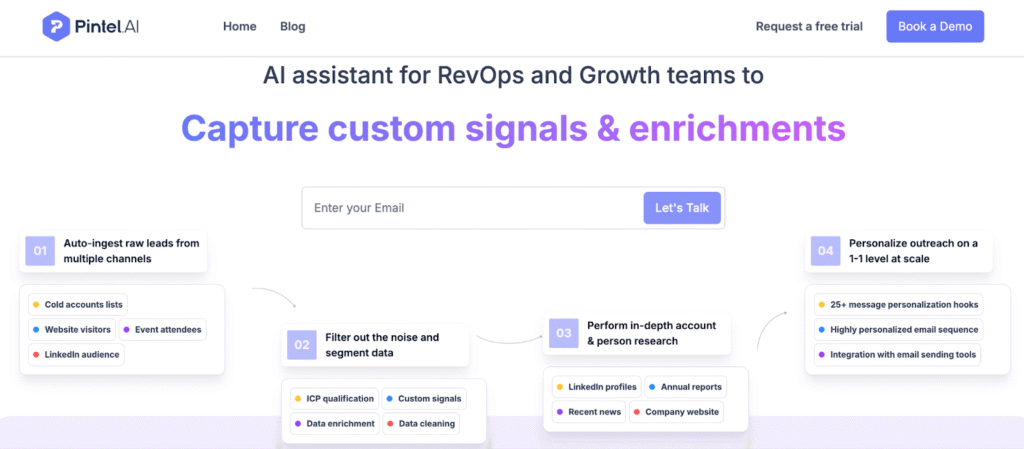
Pintel is built for teams that want to go from ICP to usable data and outreach without managing multiple tools or steps.
You can define your ICP or upload a list, and Pintel identifies relevant accounts across regions, maps the right personas, enriches accurate contact data, and extracts signals such as hiring activity, funding, or technology changes. It then scores accounts based on ICP fit and signals, generates personalized outreach messages, and syncs the output directly to your CRM.
How it works in practice
- Define your ICP or upload an account list
- Identify accounts and relevant personas across regions
- Enrich contact and company data
- Extract signals and score accounts based on fit and context
- Generate personalized messages based on those signals
- Sync data and output directly to CRM
Flexible usage based on your needs
Teams can use Pintel for specific parts of the workflow, not just the full flow:
- Generate personalized outreach messages
- Enrich contact data for an existing list
- Identify and map personas for target accounts
- Score accounts based on ICP and signals
Why teams choose Pintel as a Clay alternative
Teams usually move to Pintel when managing enrichment in tools like Clay starts taking more time and effort than expected.
- Easier to use, even for non-technical teams
Tools like Clay often require setting up steps, writing prompts, and adjusting workflows.
With Pintel, you can describe what you need in simple terms or upload a list, and the system handles most of the setup.
- Less time spent setting up and maintaining workflows
In tools like Clay, workflows need to be built, adjusted, and maintained over time.
Pintel reduces this by handling enrichment, validation, and prioritization as part of a guided process.
- Scoring and prioritization require less manual setup
In tools like Clay, scoring logic is defined and managed as part of the workflow.
Pintel applies scoring based on ICP fit and signals as part of the same flow, so teams don’t have to build it separately.
- Less manual validation before using data
Enriched data often needs to be reviewed before it can be used.
Pintel flags low-confidence records so teams don’t have to check everything manually.
- From data to outreach in one place
Teams often move enriched data into other tools to create messaging.
Pintel generates personalized messages based on account data and signals, reducing the need to switch tools.
- Flexible usage based on need
You don’t have to use the full workflow.
Teams can use Pintel just for enrichment, persona mapping, scoring, or message generation depending on their needs.
Core Capabilities
- Describe what you need and get results without manual setup
- Find the right accounts and contacts based on your criteria
- Flag low-quality data before using it
- Identify roles and seniority accurately
- Data fits directly into your CRM
- Provides global data coverage using waterfall enrichment across multiple sources
- Easy for non-technical teams
Apollo — Contact Database with Basic Enrichment
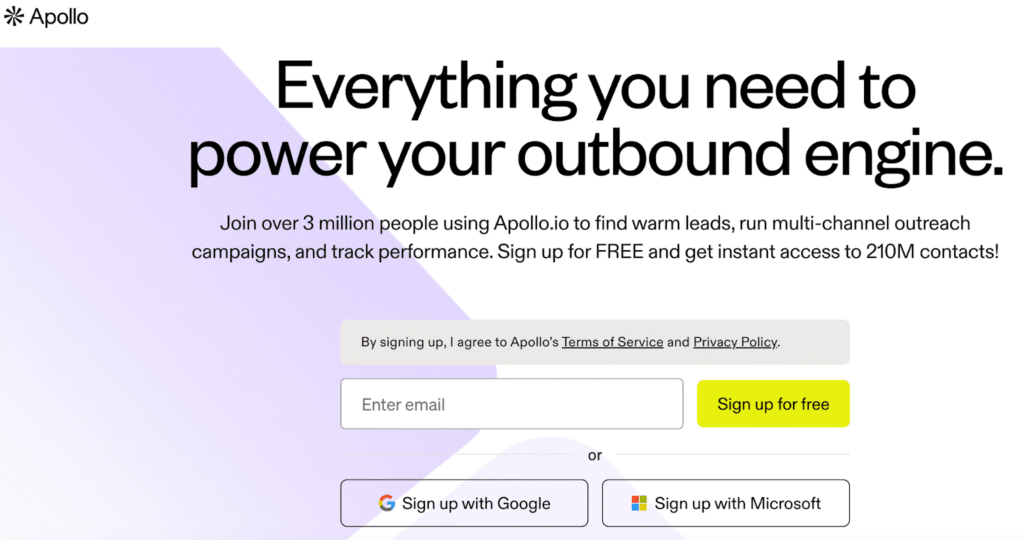
Apollo is a contact database platform that includes list building, enrichment, and outbound execution features. Unlike tools like Clay that focus on workflow automation, Apollo is designed for speed—teams can build lists and start outreach quickly without connecting multiple tools.
Apollo works for small teams (typically under 15 employees) that need straightforward contact enrichment. Workflow capabilities are limited compared to platforms built specifically for complex enrichment tasks. Teams working on multi-step enrichment or custom research often need to export data and work in spreadsheets.
Classification accuracy decreases as use cases become more specific. Seniority and function mapping uses broad inference, which can create noise in segmentation when roles don’t fit standard categories.
Core Capabilities
- Contact and account database
- List building and filtering
- Basic enrichment and seniority inference
- Native outbound sequencing
- CRM integrations
When Apollo Fits
Apollo makes sense for:
- Small teams with straightforward enrichment needs
- Teams prioritizing speed over quality
- Use cases focused on high-volume outreach rather than precise segmentation
Clearbit — Firmographic Enrichment Only
Clearbit focuses on company-level data enrichment with an emphasis on accuracy and governance. It handles firmographic attributes—company size, industry, location, funding—reliably, which makes it useful for teams that need clean account-level data.
Clearbit doesn’t support custom prospecting workflows or multi-step enrichment tasks. It’s designed for account enrichment, not contact-level research or complex data operations. Teams needing persona validation, responsibility mapping, or tailored account research need to use additional tools.
Core Capabilities
- Account-level firmographic enrichment
- Schema-aligned data appending
- CRM integration for automatic enrichment
- Focus on data accuracy and governance
When Clearbit Fits
Clearbit makes sense for:
- Marketing ops and RevOps teams focused on firmographics
- Teams that need reliable account-level data
- Use cases where contact-level enrichment isn’t required

ZoomInfo — Contact Database with Intent Signals
ZoomInfo is a large B2B contact database with intent and technographic data. It’s commonly used by teams that prioritize database size and intent signals for targeting.
Classification consistency varies. Seniority labels and function mapping can differ across industries and enrichment cycles, which requires ongoing RevOps oversight. Workflow automation features exist but are less developed than AI-native platforms—ZoomInfo’s architecture reflects its database origins rather than workflow-first design.
Core Capabilities
- Large contact and account database (US market focus)
- Intent and technographic signals
- CRM and sales tool integrations
- Broad industry coverage
When ZoomInfo Fits
ZoomInfo makes sense for:
- Teams using intent signals for targeting
- Use cases requiring broad database coverage
- Organizations prioritizing data volume over workflow sophistication
Cognism — EMEA-Focused Contact Enrichment
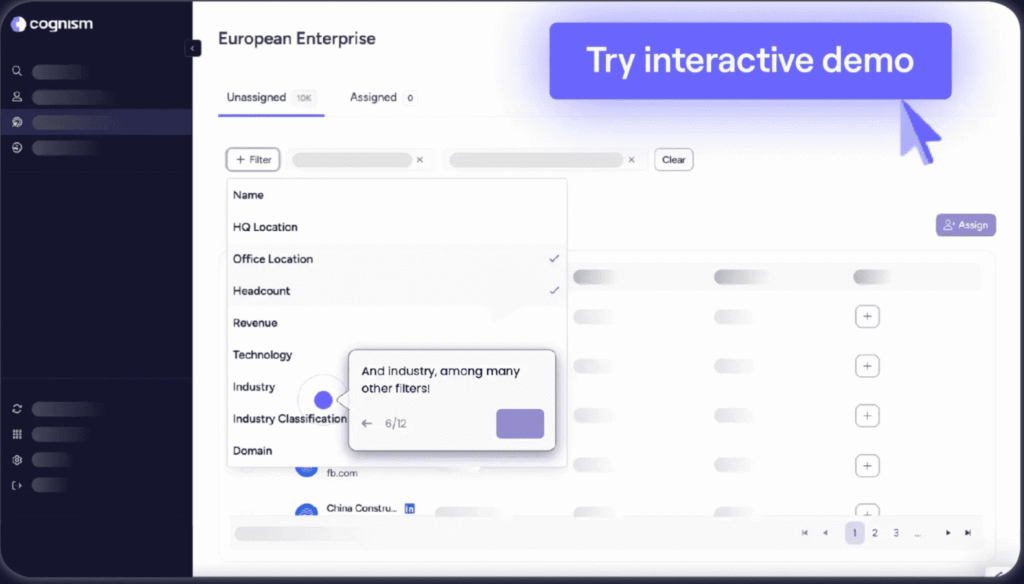
Cognism is a contact enrichment platform focused on EMEA markets. It’s designed for teams that need regional data coverage with GDPR compliance built in.
Workflow depth is limited compared to platforms designed for complex enrichment tasks. Cognism handles contact enrichment and prospecting but doesn’t support multi-step workflows or custom research operations.
Core Capabilities
- EMEA contact data coverage
- GDPR-compliant data handling
- Contact enrichment and prospecting
- Regional accuracy for European markets
When Cognism Fits
Cognism makes sense for:
- Sales teams focused on EMEA markets
- Organizations requiring GDPR compliance
- Use cases centered on regional contact enrichment
What to look for in a Clay alternative
When choosing a Clay alternative, focus on how the data behaves after enrichment and how much effort your team needs to keep it usable in day-to-day workflows.
Data accuracy over time
A good Clay alternative should provide data that stays consistent across refresh cycles, not just look correct once. If the same account or persona changes without any real-world reason, it will break segmentation and scoring over time.
Works with your CRM, not against it
Your Clay alternative should fit into your existing CRM structure without creating duplicate fields or conflicting data. Poor alignment leads to manual fixes and unreliable reporting.
Persona data you can trust
If your team still needs to verify job titles, roles, or seniority before outreach, the enrichment is not reliable. A strong Clay alternative should provide persona data that can be used directly.
Easy to operate without heavy setup
Some tools require building workflows, writing prompts, and ongoing adjustments. A practical Clay alternative should reduce setup effort so teams can focus on using the data instead of managing the tool.
Built-in data quality checks
Enrichment should not require manual validation at scale. The right Clay alternative should flag low-confidence data or inconsistencies before it reaches your CRM.
Low ongoing maintenance
Every tool needs some level of maintenance, but the effort should not grow with data volume. A good Clay alternative should behave predictably without constant monitoring or cleanup.
Fits your current GTM workflow
Some Clay alternatives are better for experimentation and flexibility, while others are better for consistent execution. Choose based on how your team operates today, not just feature depth.
Common mistakes teams make when choosing a Clay alternative
Most issues with Clay alternatives don’t show up during evaluation. They appear later, when enriched data starts getting used in CRM, scoring, and outbound workflows.
Choosing flexibility over usability
Many tools offer high flexibility, which looks powerful during evaluation. But in practice, every use case requires building workflows, writing prompts, and testing outputs.
What this looks like in reality:
Teams spend hours setting up logic for tasks that should take minutes to describe. Over time, maintaining workflows becomes a recurring effort, especially as new use cases are added.
Underestimating manual data validation
Teams often focus on how much data a tool can provide, not how much of it can be trusted.
What this looks like in reality:
Even after enrichment runs successfully, SDRs still open LinkedIn or company pages to verify job titles, roles, or company details before outreach. This slows execution and defeats the purpose of automation.
Treating enrichment as a one-time task
Enrichment is often treated as a one-time process at the top of the funnel.
What this looks like in reality:
The same account gets re-enriched multiple times across workflows. If the data changes without real-world updates, segmentation breaks, scoring becomes unreliable, and reporting becomes inconsistent.
Ignoring CRM structure and dependencies
Some tools append data without aligning with existing CRM fields or workflows.
What this looks like in reality:
Fields get duplicated, overwritten, or conflict with existing logic. Routing rules misfire, leads go to the wrong owners, and RevOps teams spend time debugging data instead of improving systems.
Assuming reps will compensate for bad data
When data isn’t fully reliable, the responsibility shifts to SDRs.
What this looks like in reality:
Reps double-check contacts, rewrite messaging, and validate accounts before reaching out. Instead of saving time, enrichment adds extra steps to the workflow.
Overlooking the ongoing cost of maintaining the tool
Some tools look manageable during setup but require ongoing effort as usage grows.
What this looks like in reality:
Teams need to maintain workflows, retrain users, fix outputs, and sometimes hire specialists. The cost shows up as time and operational overhead, not just pricing.
Final Thoughts
Evaluating Clay alternatives depends on understanding how Choosing a Clay alternative comes down to how much effort your team needs to turn enriched data into something usable in day-to-day workflows. Tools like Clay offer flexibility, but that often comes with setup, maintenance, and manual validation. For some teams, that tradeoff works. For others, it slows things down as usage grows.
As outbound scales, enrichment starts affecting segmentation, routing, and execution. At that point, what matters is whether the data can be used directly without extra steps. The right choice depends on how your team works today and how much complexity you’re willing to manage.
FAQs: Clay Alternatives
What are the best Clay alternatives for B2B data enrichment?
The best Clay alternatives depend on how your team uses enrichment. Some tools focus on flexibility and workflow customization, while others focus on delivering accurate, ready-to-use data. Platforms like Pintel.AI are used by teams that want enrichment, prioritization, and messaging in one place without managing complex workflows.
Why do teams switch to Clay alternatives?
Teams usually switch to Clay alternatives when managing workflows, prompts, and data validation starts taking more time than expected. While Clay offers flexibility, tools like Pintel.AI reduce the effort by handling enrichment, validation, and prioritization in a more structured way.
What should you look for in a Clay alternative or data enrichment tool?
A good Clay alternative should provide accurate data, align with your CRM, and reduce the need for manual validation. The goal is not just enrichment, but data that can be used directly in prospecting and outbound workflows.
Are Clay alternatives easier to use than other data enrichment tools?
Some Clay alternatives are designed for business users and require less setup, while others still require workflow design and maintenance. Tools like Pintel.AI are used by teams that want usable output without heavy technical configuration.
Do Clay alternatives support lead scoring and prioritization?
Yes, most Clay alternatives support scoring and prioritization. In tools like Clay, this usually requires manual setup. Platforms like Pintel.AI apply scoring based on ICP fit and signals as part of the same process.
Can Clay alternatives generate personalized outreach messages?
Some Clay alternatives focus only on enrichment, while others go further. For example, Pintel.AI generates personalized outreach messages based on account data and signals, reducing the need for separate prospecting tools.
How do Clay alternatives compare to other sales intelligence tools?
Compared to traditional sales intelligence tools, Clay alternatives often provide more flexibility in how data is enriched and used. However, this can come with additional setup and maintenance depending on the platform.
Are Clay alternatives suitable for scaling outbound prospecting?
Yes, Clay alternatives can support outbound at scale, but only if the data remains consistent and usable. Tools like Pintel.AI focus on delivering data that can be used directly without additional cleanup or validation.
Do Clay alternatives provide global data coverage?
Many Clay alternatives provide data across multiple regions, though coverage can vary. Some platforms, including Pintel.AI, use multiple data sources to improve global coverage and completeness.
Which Clay alternative requires the least manual setup?
Among Clay alternatives, tools that combine enrichment, validation, and prioritization in one flow typically require less manual setup. Platforms like Pintel.AI are designed to reduce workflow management effort.