AI sales tools are now embedded across modern outbound motions. Revenue teams use them to identify target accounts, automate prospect research, generate personalized messaging, and manage outreach across channels. Leaders invest in these tools with a clear goal: scale outbound performance without sacrificing relevance.
Yet as AI stacks grow, many teams notice a gap between activity and outcomes. Outreach volume increases, but reply rates stay flat. Personalization exists, but it feels surface-level. Automation speeds things up, yet meetings booked do not improve at the same pace.
That raises deeper questions. How do AI sales tools actually personalize messaging using CRM data? What role does research automation play in outbound success? And which layers of the stack determine whether AI improves results or simply increases noise?
This guide breaks down how AI sales tools work in 2026, where each category fits in the workflow, and why structured research is the foundation for meaningful personalization at scale.
Let’s dive in:

What Are AI Sales Tools? (And Which Ones Actually Matter)
AI sales tools in 2026 are software platforms that use automation, machine learning, and large language models to support outbound sales workflows across prospecting, research, personalization, outreach, and conversation analysis.
Unlike earlier sales tools that focused only on execution, modern AI sales tools depend on accurate, structured prospect data to deliver relevant personalization at scale. Their effectiveness is determined less by message generation and more by the quality of research and context feeding the system.
1. AI Prospecting Tools
These tools identify and qualify potential buyers before outreach begins.
What they do:
- Identify companies matching your ICP
- Find decision-makers within target accounts
- Score leads based on fit and intent signals
- Monitor job changes and company triggers
When to use them: You need a consistent pipeline of qualified prospects without manual list building.
2. Research Automation & Enrichment Tools
Research Automation & Enrichment Tools gather and validate the context needed for personalization—company details, role responsibilities, tech stack, recent news, and buying signals.
What they do:
- Pull firmographic and technographic data
- Validate job titles and responsibilities
- Identify relevant triggers (funding, hiring, expansion)
- Structure data for CRM and outreach tools
When to use them: Your personalization feels shallow because reps lack prospect context, or research takes 15+ minutes per prospect.
3. Sales Personalization Tools
These generate customized messaging based on prospect data and context.
What they do:
- Write personalized email copy
- Create account-specific talking points
- Generate custom landing pages or demos
- Adapt messaging to persona and stage
When to use them: You have solid prospect data but need to scale personalized outreach across hundreds of contacts.
4. Sales Outreach Tools
These execute and manage multi-channel sequences at scale.
What they do:
- Send automated email sequences
- Manage LinkedIn outreach and InMails
- Track opens, clicks, and replies
- A/B test messaging variations
When to use them: You’re running consistent outbound campaigns and need workflow automation, not just a mail merge.
5. AI Sales Assistants & Conversation Intelligence
These tools support active selling, meeting prep, call analysis, and follow-up.
What they do:
- Transcribe and analyze sales calls
- Generate meeting summaries and next steps
- Provide real-time coaching during calls
- Auto-update CRM based on conversations
When to use them: Your team is in active conversations and needs coaching, insights, or CRM hygiene support.
Where Common AI Sales Tools Fit
Once the core system values are in place, AI sales tools naturally fall into distinct roles. The difference between underperforming and compounding outbound stacks is not the number of tools—but where intelligence, context, and prioritization actually happen.
Pintel.AI — Research, Enrichment, Personalization & Prioritization Layer
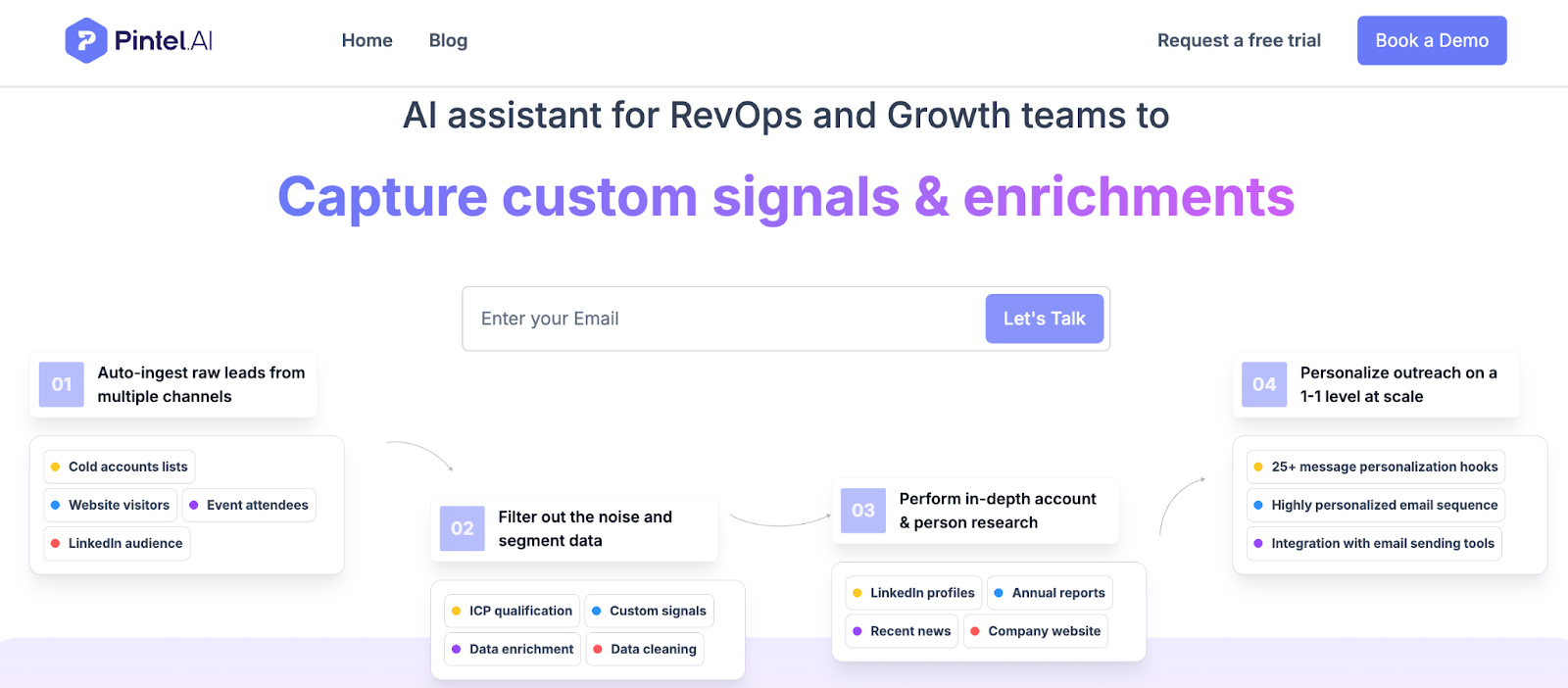
Pintel.AI operates upstream of personalization and outreach, handling the work that most teams still do manually or inconsistently across reps.
Rather than enriching leads with isolated fields, Pintel builds outbound-ready prospect profiles end to end:
- Starts with raw leads or accounts from CRM, prospecting tools, or events
- Enriches company and contact data using multi-source waterfall enrichment to avoid reliance on a single provider
- Validates job titles by mapping them to actual functional responsibilities, not surface-level labels
- Interprets signals such as funding, hiring, tech changes, and expansion to understand why outreach might be relevant now
- Assembles this into structured context that personalization tools can reliably use
- Generates personalized talking points and angles tied to role, company stage, and trigger relevance
- Scores and prioritizes leads based on fit + readiness, not just static attributes
The result is a system where:
- Every prospect enters outreach with the same research baseline
- Personalization is grounded in real context, not placeholders
- Reps focus on execution and judgment, not manual research
- AI tools downstream work on validated, consistent inputs, not assumptions
This is the layer that determines whether AI personalization is genuinely relevant—or just faster at being generic.
Apollo — Prospecting & Pipeline Volume
Apollo is commonly used to identify accounts and contacts that match ICP criteria and keep the top of the funnel full.
It solves the volume problem:
- Finding companies
- Discovering decision-makers
- Supplying contact details
What it does not solve on its own:
- Deep role interpretation
- Contextual relevance
- Prioritization based on real buying signals
Without a research layer in between, Apollo outputs often flow directly into outreach—creating speed without precision.
Cognism — Contact Data for Calling Motions
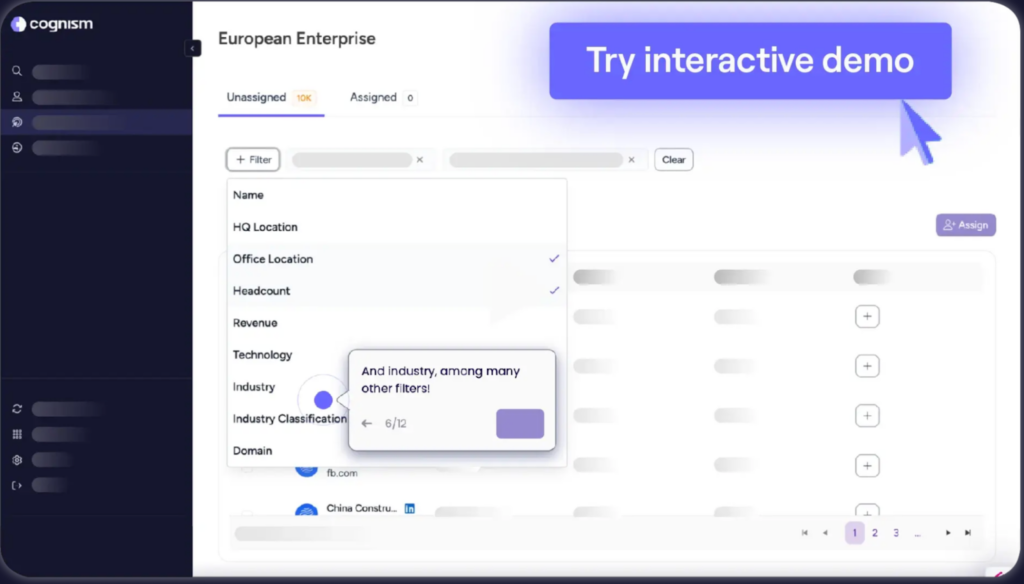
Cognism is most often used by teams running call-heavy or global outbound motions, where phone data accuracy and compliance matter.
It supports:
- High-quality phone numbers
- International coverage
- Calling-focused SDR workflows
However, it is still primarily a contact data layer, not a research or personalization engine. Relevance must be created elsewhere.
ZoomInfo — Broad Data Foundation
ZoomInfo typically acts as a broad data backbone across sales and marketing teams.
It provides:
- Firmographic and technographic coverage
- Account and contact data at scale
- Inputs for multiple downstream tools
But raw breadth does not equal readiness.
Teams still need interpretation, validation, and structuring before data becomes usable for personalized outbound.
Clearbit — Real-Time Inbound Enrichment
Clearbit is commonly used in inbound and product-led workflows, enriching leads as they enter the system in real time.
It works well for:
- Form fills
- Signup enrichment
- API-driven product experiences
It is not designed to handle:
- Deep outbound research
- Trigger interpretation
- Personalization logic or prioritization

Why Most AI Sales Tools Fail to Deliver Personalization
Here’s what typically happens: A sales team buys an AI personalization tool, connects it to their CRM, and expects relevant outreach. Instead, they get messages like:
“Hi {{First Name}}, I noticed {{Company}} is in the {{Industry}} space. We help companies like yours with {{Generic Value Prop}}.”
The AI is working. But it’s working with incomplete inputs. This is why many teams see high outbound activity but flat meeting numbers, even when they’re targeting the right titles.
Research on knowledge workers shows that a significant portion of work time is spent on administrative and coordination tasks rather than core, value-creating activities.
The Real Breakdown Points
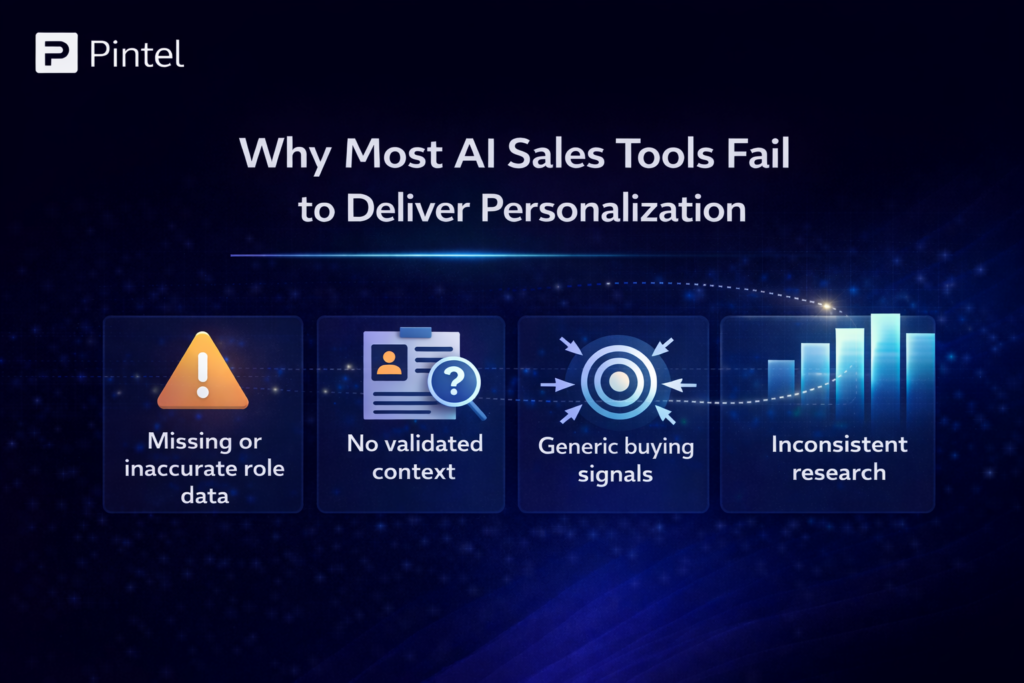
1. Missing or inaccurate role data
Your CRM says “VP of Marketing” but doesn’t distinguish between a demand gen leader (who cares about pipeline) and a brand leader (who doesn’t).
2. No validated context
You know they work at a Series B SaaS company, but not whether they’re expanding, consolidating tools, or in a hiring freeze.
3. Generic buying signals
“Company raised funding” is a trigger, but funding for product development means something different than funding for go-to-market expansion.
4. Inconsistent research
One SDR spends 20 minutes per prospect. Another spends 3. The one who spends 20 gets better results, but can’t scale.
The result: AI tools amplify surface-level personalization instead of genuine relevance.
How Research Automation Fixes This (With Examples)
Personalization isn’t a writing problem. It’s a data assembly problem.
Research automation ensures every outreach attempt starts with validated, structured context—not guesswork. Here’s how it works in practice:
Before Research Automation
SDR workflow:
- Pull lead from CRM (2 min)
- Google the company (3 min)
- Check LinkedIn for role details (4 min)
- Scan recent news (3 min)
- Review tech stack on their website (2 min)
- Write personalized email (5 min)
Total time: 19 minutes per prospect
Result: Inconsistent quality, limited scale, burnout
This kind of manual work shows up when SDR prospecting workflows lack automation and structured research.
After Research Automation
Automated workflow:
- System pulls lead from CRM
- Enriches with: company size, revenue, tech stack, recent funding, hiring trends, and relevant news
- Validates job title and maps to actual responsibilities
- Identifies 2-3 relevant triggers or talking points
- Formats context for CRM and outreach tools
SDR workflow:
- Reviews pre-built profile (1 min)
- Selects relevant angle (1 min)
- Customizes and sends (2 min)
Total time: 4 minutes per prospect
Result: 80% time savings, consistent quality, scalable
Real Example: Series B SaaS Company
Before: SDRs manually researching 20 prospects/day, 15% reply rate, 2% meeting conversion
After implementing research automation:
- 60 prospects/day per SDR (3x volume)
- 23% reply rate (53% improvement)
- 4.1% meeting conversion (2x improvement)
The change wasn’t better AI writing. It was better inputs feeding the AI.

The AI Sales Tool Stack That Actually Works
High-performing teams don’t think in terms of individual tools. They build layered systems where each component feeds the next.
Layer 1: Prospecting & Identification
Purpose: Find the right people at the right companies
Output: List of qualified leads with basic contact info
Key capabilities:
- ICP matching and account identification
- Contact discovery and email/phone verification
- Intent signal detection
- Job change and trigger monitoring
Layer 2: Research & Enrichment
Purpose: Gather and validate context for personalization
Output: Complete prospect profiles with firmographics, triggers, and talking points
Key capabilities:
- Firmographic and technographic data collection
- Job title validation and responsibility mapping
- Buying signal identification
- Trigger event monitoring (funding, hiring, expansion)
- Data structuring for downstream tools
Layer 3: Personalization & Content
Purpose: Generate relevant messaging based on enriched data
Output: Customized emails and sequences ready to send
Key capabilities:
- AI-powered email generation
- Dynamic content insertion based on persona
- Messaging adaptation to the buying stage
- Multi-variant message creation
Layer 4: Outreach Execution
Purpose: Deliver multi-channel campaigns at scale
Output: Sent sequences with tracking and follow-up logic
Key capabilities:
- Multi-channel sequencing (email, LinkedIn, phone)
- Send time optimization
- Automated follow-up logic
- A/B testing and performance tracking
Layer 5: Conversation & Optimization
Purpose: Support active selling and improve over time
Output: Call insights, deal intelligence, rep coaching
Key capabilities:
- Call recording and transcription
- Conversation analysis and coaching
- Automated CRM updates
- Deal risk identification and forecasting
Critical insight: Each layer depends on the quality of the previous one. Weak research creates weak personalization, even with the best AI writing tool.

Choosing the Right Tools for Your Stack
Don’t start by comparing features. Start by identifying which layer of your stack is weakest:
- Low lead volume? → Focus on prospecting tools like Apollo, Cognism, or Clay
- Shallow personalization? → Focus on research automation like Pintel, ZoomInfo, or Clearbit
- Inconsistent messaging? → Focus on personalization tools like Lavender or Instantly
- Manual outreach process? → Focus on execution tools like Outreach, Salesloft, or Lemlist
- Can’t track what’s working? → Focus on conversation intelligence like Gong or Chorus
Most teams find their biggest gap is in research automation (Layer 2). They have good prospecting and outreach tools, but a weak context in between. That’s where tools like Pintel make the biggest difference—by ensuring the data feeding your personalization and outreach tools is accurate, relevant, and structured.
How to Choose the Right AI Sales Tools for Your Team
Stop comparing features in isolation. Start by mapping your actual workflow gaps.
Step 1: Identify Where Your Process Breaks Down
Ask these diagnostic questions:
Problem: Low reply rates despite high volume
→ Likely issue: Weak personalization inputs
→ Solution priority: Research automation (Layer 2)
Problem: Reps spend too much time on research
→ Likely issue: Manual data gathering
→ Solution priority: Research automation + AI prospecting tools
Problem: Inconsistent messaging quality across the team
→ Likely issue: No standardized personalization framework
→ Solution priority: Sales personalization tools (Layer 3)
Problem: Can’t track what’s working
→ Likely issue: Missing execution and analytics layer
→ Solution priority: Sales outreach tools (Layer 4)
Step 2: Evaluate Tools Based on Integration, Not Isolation
Before comparing individual tools, ask:
- Does this tool improve inputs or just speed up outputs?
Tools that strengthen data quality compound value over time. - How does it validate data freshness?
Outdated context kills personalization, no matter how well it’s written. - Does it fit your existing workflow?
The best tool is the one your team will actually use consistently. - Can it integrate with your CRM and other tools?
Disconnected tools create manual work and data silos.
Step 3: Test for Real-World Performance, Not Demo Performance
Most AI sales tools look great in demos. The difference shows up in daily use.
Test scenarios:
- Run 50-100 prospects through the system
- Check the accuracy of job title interpretation
- Verify trigger relevance (are “buying signals” actually relevant?)
- Measure time savings vs. the manual process
- Track quality consistency across reps
The Role of Pintel in Modern AI Sales Stacks
Pintel sits at Layer 2—research automation and enrichment—which is the foundation that makes everything else work.
What Pintel Does
- Automatically gathers company and prospect context from 50+ data sources
- Validates job titles and maps them to actual responsibilities
- Identifies relevant triggers: funding rounds, leadership changes, expansion signals, tech stack changes
- Structures all context for CRM integration and downstream personalization tools
Why This Matters
Most sales teams have good prospecting tools (Layer 1) and good outreach tools (Layer 4), but weak research automation (Layer 2). This creates a “context gap” where personalization tools operate on incomplete data.
Pintel fills that gap by ensuring every prospect in your CRM has:
- Verified firmographic and technographic data
- Accurate role and responsibility mapping
- 2-3 relevant talking points or triggers
- Structured data that integrates seamlessly with your existing stack
Result: Your AI personalization tools, sales outreach tools, and reps all work from the same reliable context—no more shallow personalization or wasted research time.
Who Pintel Works Best For
- B2B sales teams doing outbound at scale (100+ prospects/week)
- Teams with good prospecting and outreach tools but inconsistent personalization
- Organizations where reps spend 10+ hours/week on manual research
- Companies that need to maintain high personalization quality while scaling volume
Common Mistakes When Implementing AI Sales Tools
Most AI sales tools underperform not because the tools are weak, but because they’re implemented without strong inputs and clear workflows. These are the most common mistakes teams make.
Mistake 1: Starting with Execution Tools
Teams buy email automation or AI writers first, then wonder why personalization still feels generic. Fix the inputs (research and data) before optimizing the outputs (outreach).
Mistake 2: Expecting AI to Replace Strategy
AI sales tools automate execution, not thinking. You still need to define your ICP, value propositions, and messaging framework. AI scales what you give it.
Mistake 3: Ignoring Data Hygiene
Even the best AI can’t fix CRM chaos. Before adding new tools, ensure your existing data is clean, standardized, and regularly updated.
Mistake 4: Over-Automating Too Soon
Start with semi-automated workflows where reps review AI output before sending. Once quality is consistent, increase automation gradually.
Mistake 5: Not Measuring What Matters
Track metrics that indicate quality, not just quantity:
- Reply rate (not just emails sent)
- Meeting conversion rate (not just replies)
- Time to first meeting (efficiency)
- Rep satisfaction scores (adoption)
How to Get Started with AI Sales Tools in 2026
The fastest way to see results with AI sales tools is to implement them in stages. Starting with the right foundation and layering capabilities gradually ensures quality, adoption, and measurable impact.
For Teams Just Starting with AI Sales Tools
Week 1-2: Audit Your Current Process
- Map your full prospect-to-meeting workflow
- Identify which steps take the most time
- Note where quality drops or inconsistency appears
Week 3-4: Choose Your Foundation Tool (Research Automation)
- Test 2-3 research automation tools with real prospects
- Measure accuracy, time savings, and integration ease
- Choose based on data quality, not flashy features
Week 5-6: Layer in Personalization
- Connect research automation to your CRM
- Add an AI personalization tool that reads your enriched data
- Run a pilot campaign with 100 prospects
Week 7-8: Optimize and Scale
- Review results: reply rates, meeting conversion, rep feedback
- Adjust messaging frameworks and triggers
- Roll out to the full team with a documented playbook
For Teams Already Using AI Sales Tools
If you’re already using AI sales tools but not seeing results:
- Audit your data inputs: Are your tools working with complete, accurate prospect data?
- Check for workflow gaps: Is there a “research gap” between prospecting and outreach?
- Test personalization quality: Remove automation temporarily—would a human write this email?
- Add research automation: If inputs are weak, upgrade Layer 2 before buying more execution tools
Final Takeaway
In 2026, AI sales tools don’t fail because the technology is weak. They fail when teams skip the foundation—research automation—and expect personalization tools to compensate.
The teams seeing 2-3x improvements in reply rates and meeting conversions aren’t using radically different tools. They’re using them in the right order, with the right inputs.
The winning formula:
- Start with research automation to build a reliable prospect context
- Layer in AI personalization tools that leverage that context
- Execute through outreach tools that maintain quality at scale
- Optimize continuously based on real performance data
Personalization in 2026 isn’t about better prompts or more creative copy. It’s the outcome of structured data, validated context, and AI sales tools deployed in the right sequence.
If your current stack isn’t delivering relevant personalization at scale, the problem probably isn’t the tools you’re using—it’s the layer you’re missing.

FAQs
1. How long does it take to see results after implementing AI sales tools correctly?
Most teams see early improvements within 30 to 60 days once research automation and data inputs are fixed. Reply rates and rep efficiency improve first, followed by meeting conversion gains as workflows stabilize.
2. Are AI sales tools useful for small or early stage sales teams?
Yes. AI sales tools often have a bigger impact on small teams by reducing manual research and enforcing consistency without adding headcount. The key is starting with foundational tools instead of over automating outreach.
3. Do AI sales tools work outside of SaaS and tech industries?
They do, but results depend on role clarity and data availability. Industries like professional services, manufacturing, and logistics benefit most when job responsibilities and buying triggers are clearly defined before outreach begins.
4. What metrics matter most when evaluating AI driven outbound performance?
Teams should prioritize reply rate quality, meeting conversion rate, time to first meeting, and rep adoption over volume metrics like emails sent or sequences launched.
5. Can AI sales tools reduce SDR ramp and onboarding time?
Yes. When research and context are automated, new SDRs spend less time learning manual research workflows and more time engaging in qualified conversations, significantly reducing ramp time.
6. Is it risky to rely on AI for sales personalization?
AI personalization becomes risky only when it operates on incomplete or outdated data. With structured inputs, review steps, and clear messaging frameworks, teams can maintain brand consistency while scaling outreach.
7. How do you know when sales outreach tools are being used too early?
If outreach volume is high but replies and meetings remain flat, it usually indicates that sales outreach tools are scaling activity before prospect context and personalization inputs are ready.